Monitor a changing catalog
Extract prices and availability into a consistent record shape. Test a correction when the source page changes.
Follow the example →WEB AUTOMATION / DATA EXTRACTION
Guida helps you collect data from websites, test the code that extracts it, and turn the results into records your applications can use.
Work in a programmable Windows browser with Complete. Build and operate shared data products in Enterprise's browser-based Studio.
Try with synthetic data · No installation or account · Download the code
START WITH THE WORK
Sources change. Fields disappear. A run fails halfway through. Guida keeps the implementation, test output and execution history close enough to help you understand what happened.
Extract prices and availability into a consistent record shape. Test a correction when the source page changes.
Follow the example →Build extraction logic against retained documents and inspect the resulting records before downstream use.
Explore document processing →Inspect work and failure history, correct the cause, and use the relevant review and recovery controls.
See the operational workflow →CHOOSE YOUR WORKSPACE
Guided evaluation · Development alpha
Build data products in a shared Studio. Edit extraction code, test drafts, define records and prepare APIs, with centrally managed execution.
Linux server containers. Windows hosts for Studio draft tests and headed browser work.
Explore Enterprise →Public download · Windows x64
A programmable desktop browser for inspecting websites, running extraction scripts and managing local workspaces, queues and results.
Start here for hands-on local automation. An LLM is optional.
Explore Complete →Separate operator app · Alpha
Monitor and operate standalone Complete and Node hosts through their Remote Ops interfaces, over a trusted network.
For existing standalone hosts. Enterprise has its own Console and identity model.
Control setup guide →Guida Node runs standalone automation. Enterprise Node executes enrolled Enterprise work. They are separate hosts; the setup guides explain which one you need.
ENTERPRISE / DEVELOPMENT ALPHA
Studio connects source code, draft tests, record fields and API previews. Save an edit, inspect its output, then decide what belongs in a reviewed release.
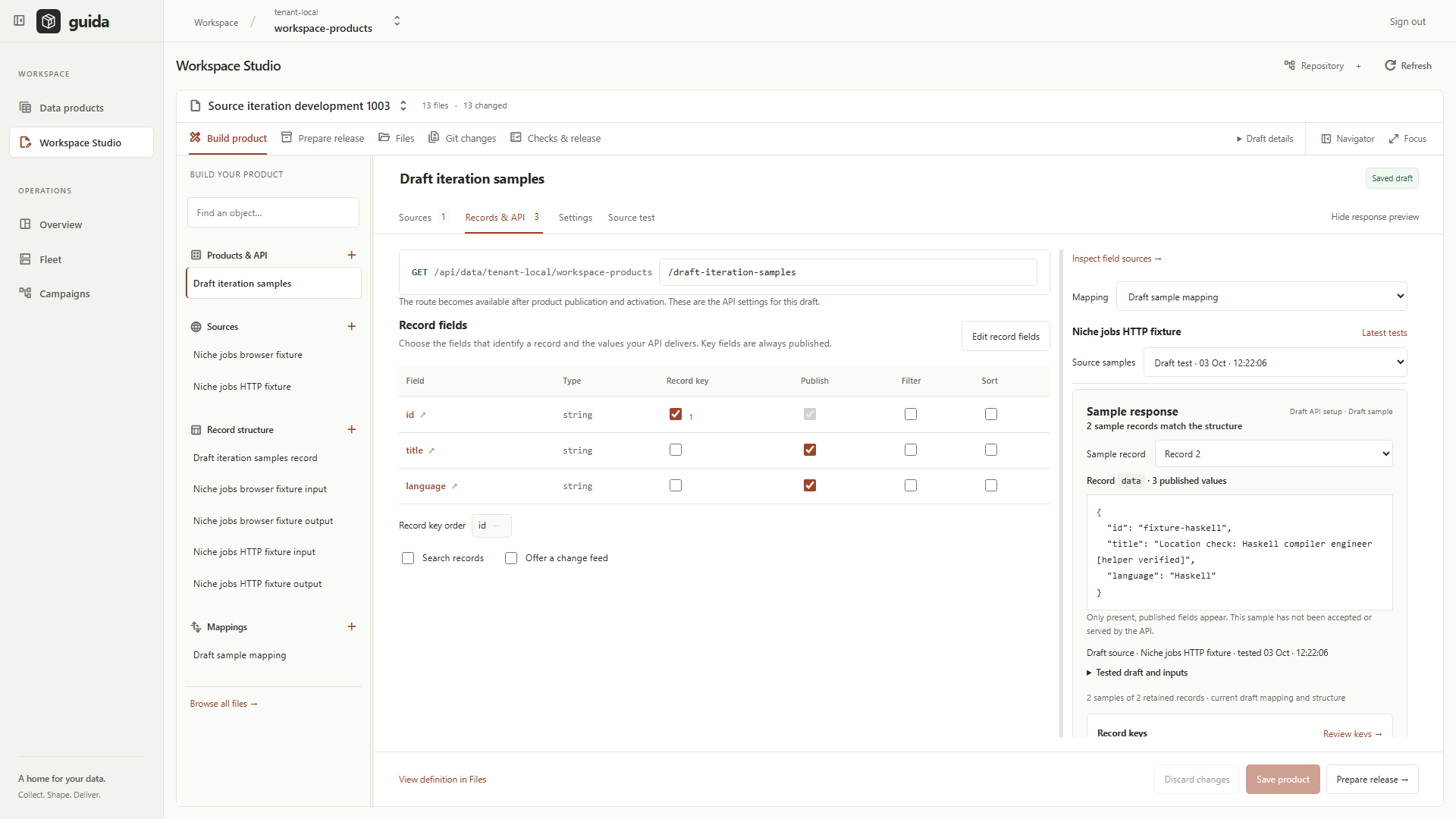
Choose the input, output and code that collects the data.
Run a saved draft and inspect actual results or errors.
Choose fields, record keys and mappings using test samples.
Follow the separate signing, publication and activation process.
A PRACTICAL FIRST STEP
Run the example in your browser or on your own machine. Enterprise has public Linux images and Windows packages for guided evaluation; its server and runner require operator configuration.