Guida Complete
Programmable browser automation
on your Windows desktop
Navigate, extract and run scripts in a visible browser. Keep workspaces, queues and results on your machine, and connect an MCP assistant when you need one.
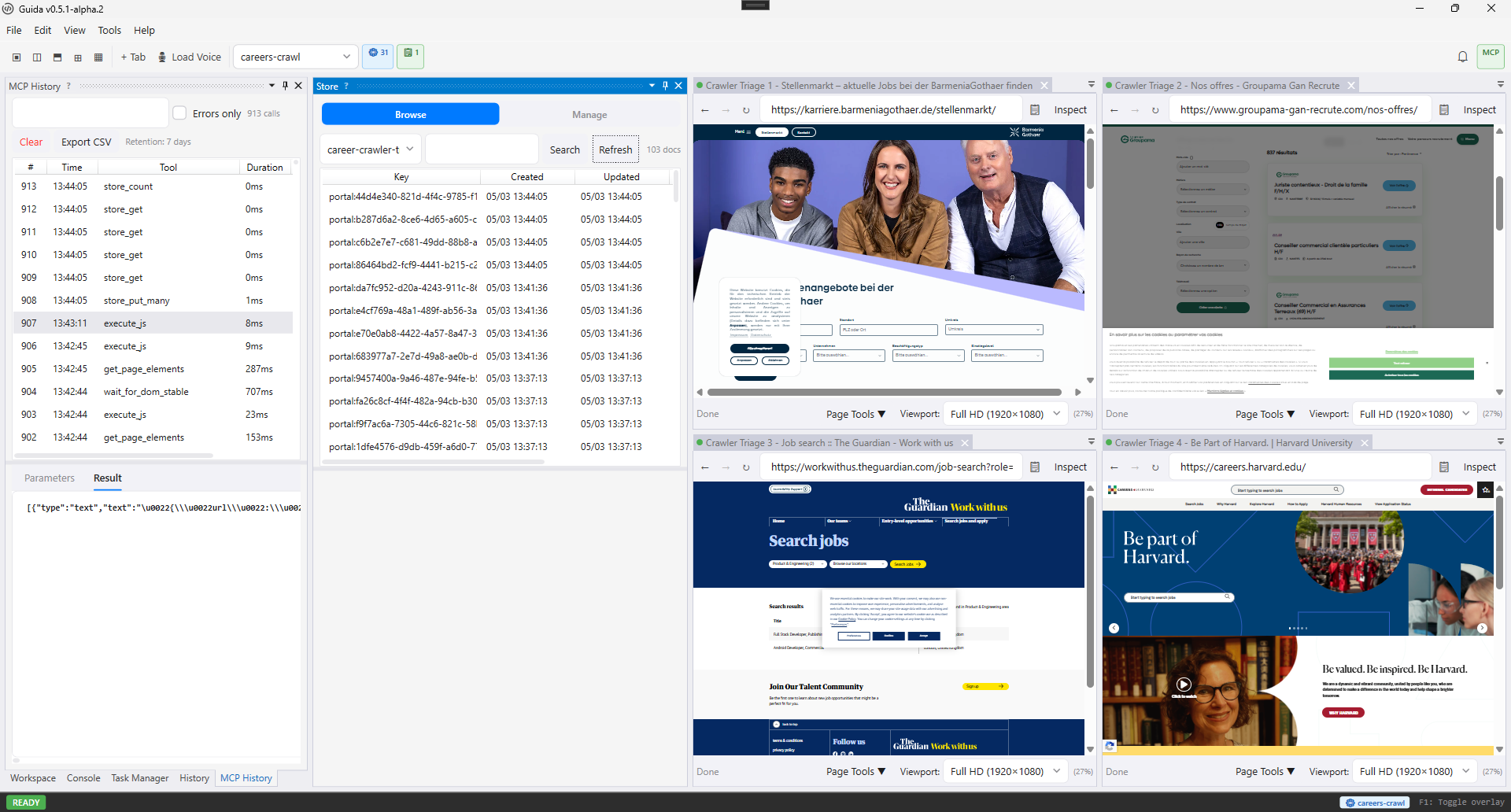
Available in Guida Complete
The Windows app combines a real browser, local project state, and AI-facing tools for practical automation workflows.
Automate browser tasks with scripts
Use JavaScript, Lua, or Janet to navigate pages, click elements, extract content, and save results.
Let AI operate the browser through MCP
Connect MCP-capable tools so an AI can inspect tabs, request actions, and run scripts with oversight.
Process queue-backed workflows across tabs
Enqueue URLs or records, run worker pools, and process items in parallel browser tabs.
Store extracted data locally or in databases
Write to workspace storage, queues, search indexes, PostgreSQL, MongoDB, S3-compatible storage, or Elasticsearch.
Review and audit sensitive AI actions
Use domain controls, tool approval, audit logging, and secret isolation to keep automation inspectable.
Support AI-assisted development
Give coding assistants a visible browser surface for rendered-page checks, UI investigation, and evidence gathering alongside conventional test tools.
See Guida in use
The app is visible, inspectable, and built around workflows you can review while they run.
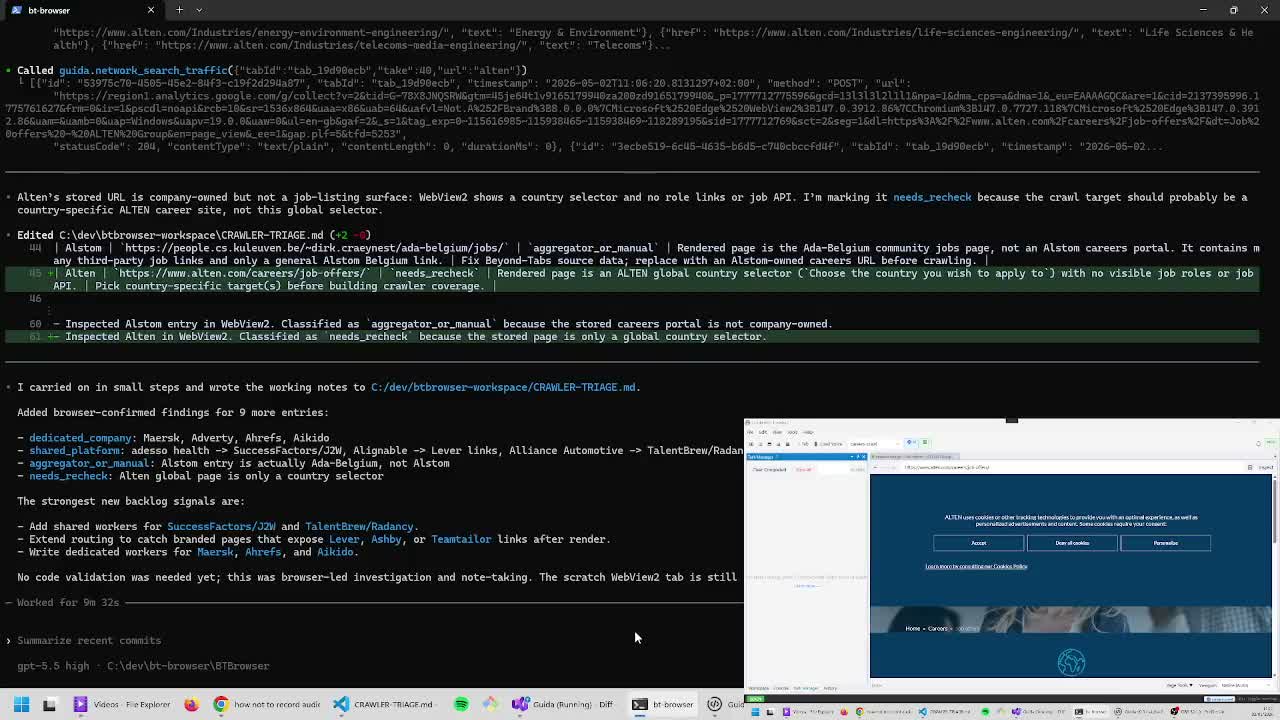 Watch the demo
 Assess career portals with Codex and Guida
Watch a two-screen desktop workflow where Codex uses Guida to inspect rendered career sites, compare page behavior, and capture findings. Guida is useful when a coding assistant needs a visible, approval-gated browser alongside Playwright or Puppeteer checks.
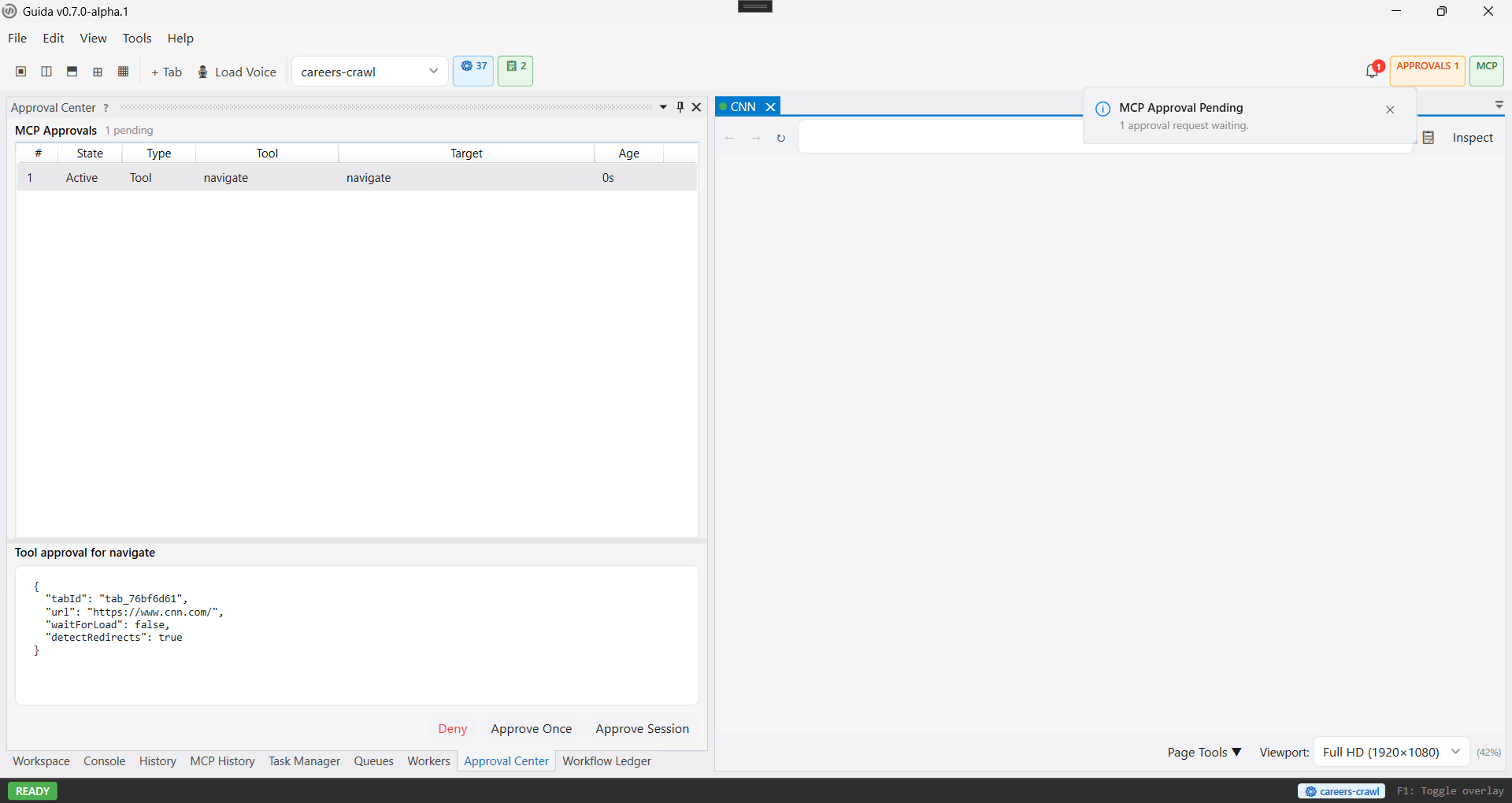
Approve AI-triggered actions
Review pending MCP requests with exact parameters before allowing browser actions to run.
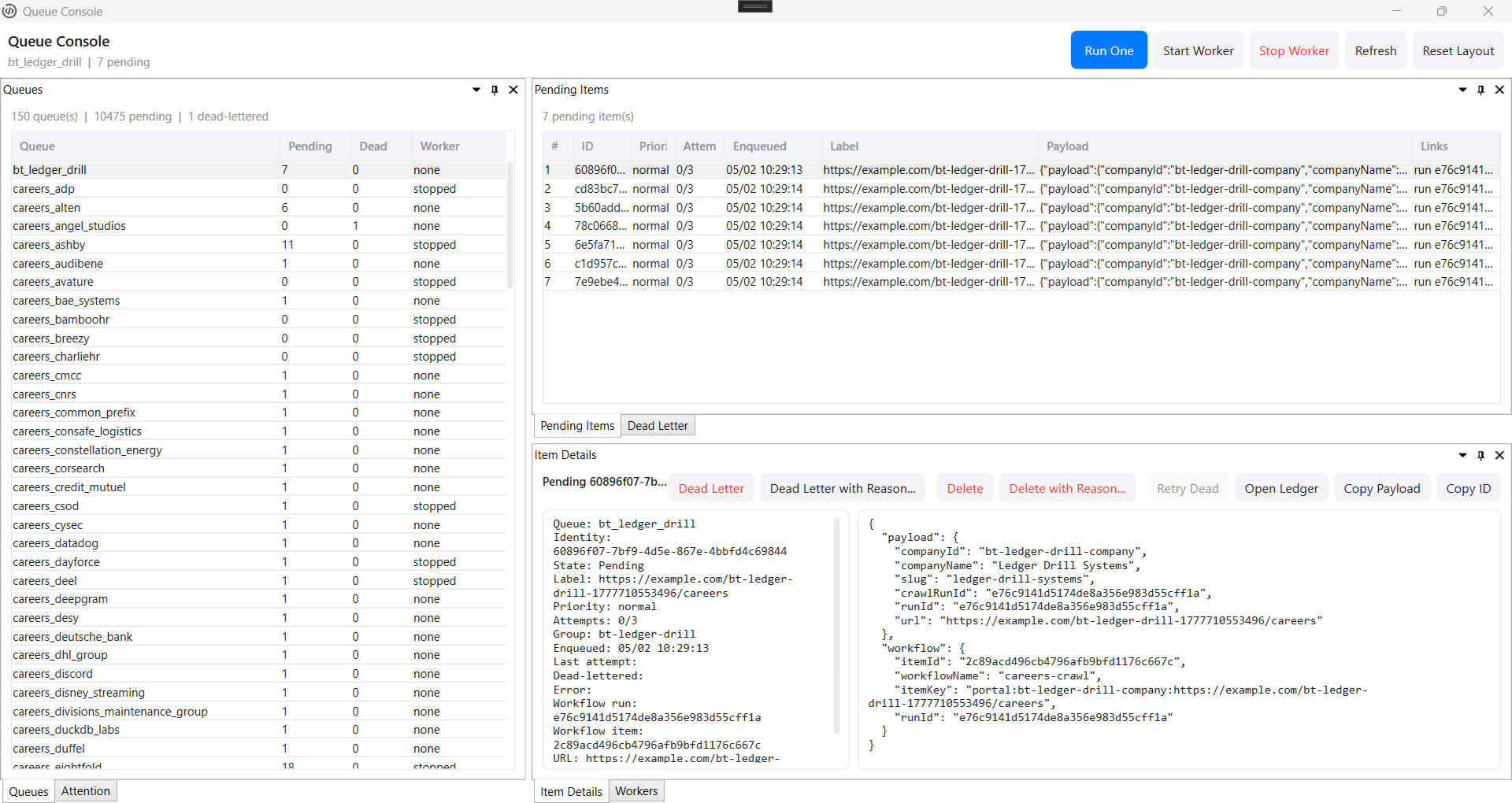
Operate queues directly
Inspect pending work, dead-letter failures, payloads, worker state, and recovery actions in one console.
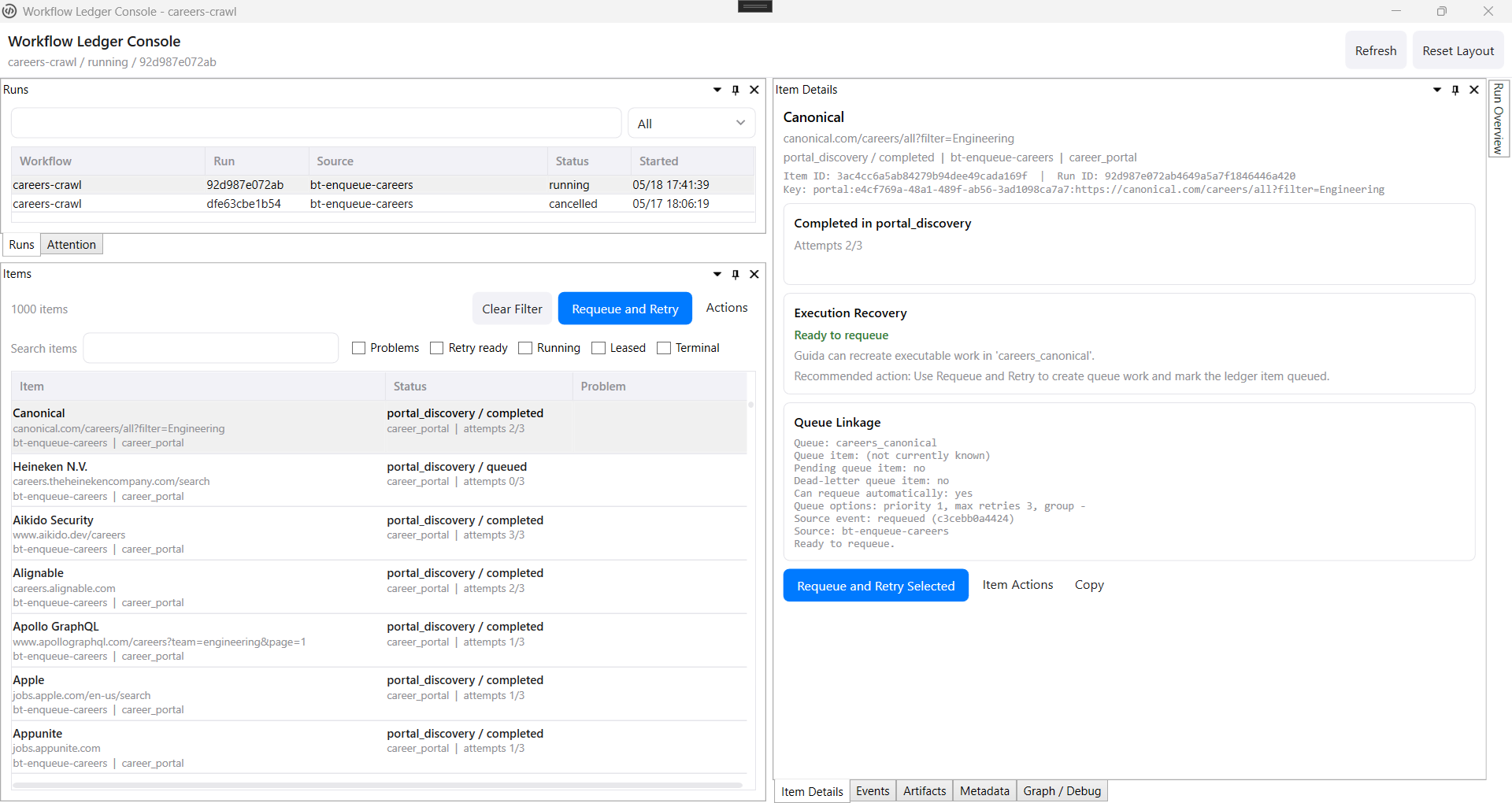
Understand workflow state
See what ran, what failed, what can be retried, and how queue work links back to durable ledger truth.
Built for programmable browser work
Build contracted data operations, connect AI tools, process queues, and keep sensitive actions inspectable.
Programmable Browser Automation
Drive WebView2 browser tabs with scripts: navigate pages, click elements, fill forms, extract content, and capture screenshots.
Certified Extractor Catalogs
Define reusable extractor contracts, validate catalogs, run bounded certification with evidence, and follow results over time.
Semantic Pipelines
Connect extractors, validation gates, mappers, and destinations with preflight, preview, provenance, and bounded execution.
Guida Control
Use the separate proprietary alpha console to observe and operate Guida nodes over a trusted Remote Ops channel.
AI and MCP Control
Connect MCP-capable tools so AI agents can inspect tabs, request browser actions, and run scripts with your oversight.
Complete, Node, and Remote Ops
Use Guida Complete for the full local operator UI, Guida Node for headed remote execution, and Remote Ops as their explicitly enabled JSON-RPC control plane.
Built-in Script Engine
JavaScript, Lua, and Janet with a generated API contract, IntelliSense, debugging, and workspace-aware execution.
Workspaces and Data Destinations
Persist data in workspace storage, queues, full-text search, PostgreSQL, MongoDB, S3-compatible storage, and Elasticsearch.
Workspace Backups
Create full workspace archives or smaller managed-state backups with consistent SQLite snapshots for queues and workflow ledger history.
Approval and Domain Controls
Review AI-requested actions before they run, approve once or for the session, and restrict navigation to allowed domains.
Audit Trail and Secret Isolation
MCP actions are logged, secrets are encrypted with DPAPI, and MCP-origin scripts cannot read decrypted secret values.
Recipes from real scripts
Start from workflows that ship with Guida, then adapt them to your own workspace.
Scrape and store page data
Extract page content, save it to the workspace store, and index it for full-text search.
Queue URLs and process them
Add URLs to a workspace queue, dequeue each item, and commit completed work.
Ask the local LLM
Send a prompt to the configured local LLM and optionally summarize the active page.
AI and automation in Guida Complete
From connection to automation in three steps.
Connect your AI
Point any MCP-compatible AI at Guida's server. Or use Ollama and LlamaSharp directly inside the app.
Stay in control
Inspect requested browser actions and choose the approval settings that fit your workspace.
Automate with confidence
Reviewed scripts run unattended. Workspaces persist data. Queue workers process items in parallel.
The g.* scripting API
Navigate, extract, and store data with a clean scripting API. Write scripts yourself, or let the AI generate them.
async function main() {
  try {
    await g.nav.navigateToUrl("https://example.com/products");
    await g.dom.waitForDomStable();

    // Extract name and price from every product card
    const products = await g.dom.getElements(
      ".product", ["innerText", "data-price"]
    );

    // Store each product in the workspace
    for (const p of products) {
      g.store.put("products", p.innerText, p);
    }

    g.log("Stored " + products.length + " products");
  } catch (e) {
    g.log("Error: " + e.message);
  }
}
g.nav.navigateToUrl("https://example.com/products")
g.dom.waitForDomStable()

-- Extract name and price from every product card
local products, err = g.dom.getElements(
  ".product", "innerText,data-price"
)
if err then
  g.log("Error: " .. err)
  return
end

-- Store each product in the workspace
for i, p in ipairs(products) do
  g.store.put("products", p.innerText, p)
end

g.log("Stored " .. #products .. " products")
(g.nav.navigateToUrl "https://example.com/products")
(g.dom.waitForDomStable)

# Extract name and price from every product card
(def products (g.dom.getElements
  ".product" "innerText,data-price"))

# Store each product in the workspace
(each p products
  (g.store.put "products" (get p "innerText") p))

(g.log (string "Stored " (length products) " products"))
Ready to take control?
Download Guida, connect your AI, and start automating - with full visibility into every action.