Connected Studio work
Edit a source, run its saved draft and correct failures using the results. Reuse samples to shape records and mappings, then prepare the product for review and release.
GUIDA ENTERPRISE / DEVELOPMENT ALPHA
Bring source code, extraction tests, record design and API preparation into one Studio. When a source changes, inspect the failure, correct the code and test the result.
Enterprise is Guida's self-hosted environment for that shared workflow, with authorized workspaces and separately managed execution hosts. It is an independently developed, proprietary product.
THE AUTHORING WORKFLOW
Specify an HTTP or browser source, its extraction code and input/output contract.
Run saved code without publishing. Read the records or follow an error back to its source.
Define fields and keys, map source output and preview the API using test samples.
Review changes and evidence, follow signing and publication, then inspect accepted records.
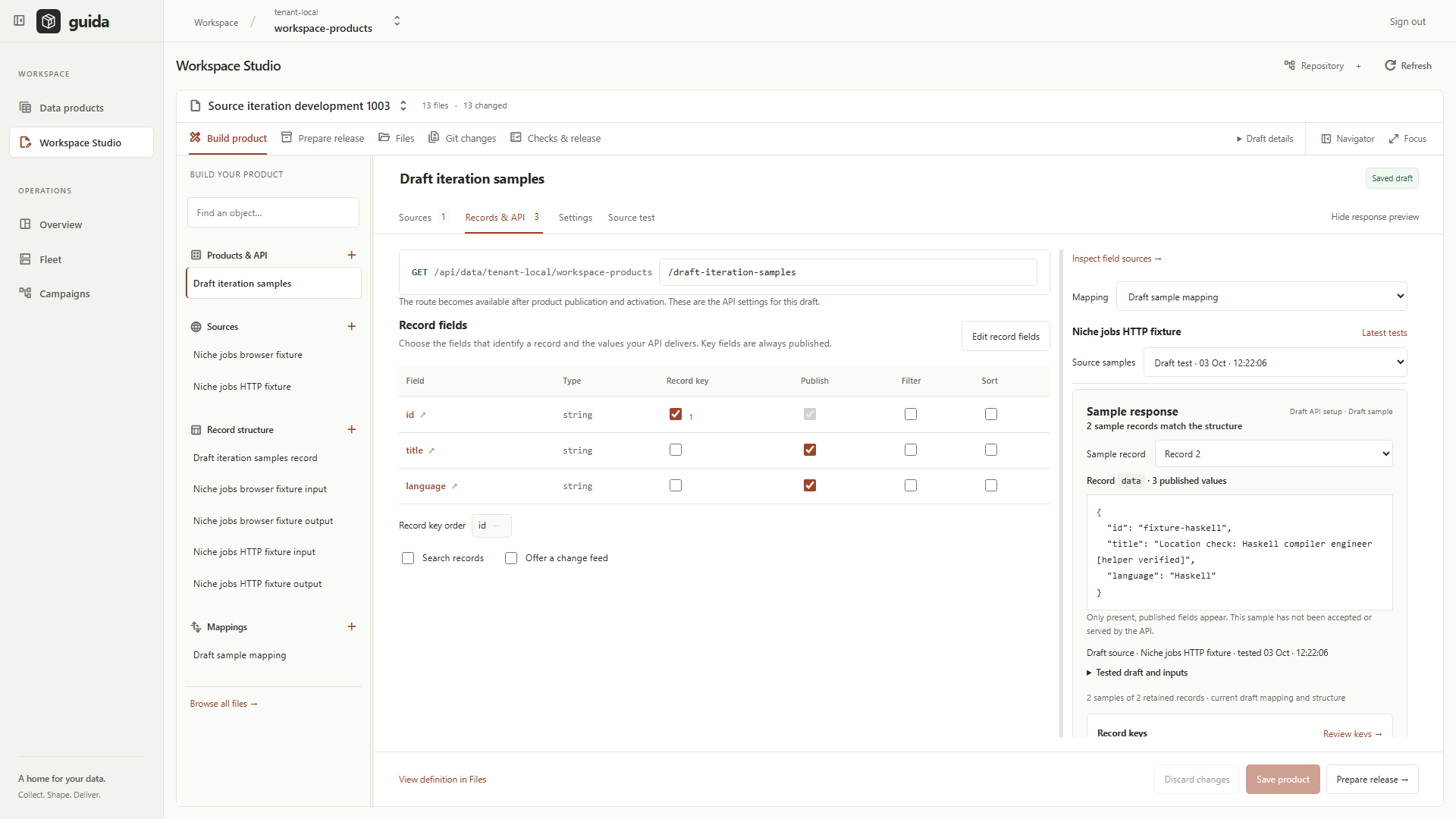
Edit a source, run its saved draft and correct failures using the results. Reuse samples to shape records and mappings, then prepare the product for review and release.
Seven Linux images and five Windows packages provide the server and execution tools for a guided evaluation. Download the matching packages, checksums and getting-started guide.
Connect an external coding assistant through MCP or explore Studio's AI setup. Provider integration is experimental; start with the manual workflow and follow the assistant guide for current availability.
Developers and data teams building recurring collection workflows: people who need to understand extraction code, define reliable records and see what happened during execution.
The first alpha is a guided evaluation for technical testers with an installation operator. It is not yet a self-service hosted product. An LLM is optional, and the manual edit/test workflow is the starting point.
Explore practical use cases →The API, Console and supporting commands run as Linux amd64 images. A document worker supports separately configured retained-document processing.
Studio uses a development draft runner. Signed Enterprise jobs use Enterprise Node. Headed browser execution needs Windows and WebView2.
Seeing the Console in a browser does not mean execution runs in that browser. Identity, storage and the appropriate execution host must be configured.
Understand the components →WHERE IT IS HEADED
The next authoring step is to describe the records you need, review proposed code, test it and repair a failure using the result. LiteLLM is the first integration target, with local inference retained and OpenRouter following.
The result should remain code you can inspect and maintain. Completing the provider integrations and making installation easier are the immediate priorities.
Follow the roadmap →The careers exercise produces a relevant record and the sentence supporting it. Try it in your browser, download the code, then follow the Studio path on a prepared installation.