MCP Integration
Guida includes a built-in Model Context Protocol (MCP) server that exposes browser automation as tools. MCP-capable clients can inspect tabs, request browser actions, run scripts, and use workspace tools while Guida keeps approval, domain controls, audit history, and secret isolation visible.
How it works
Section titled “How it works”Guida runs MCP browser-control endpoints on loopback (127.0.0.1, port 9315 by default) for local trusted clients. The same embedded server can also expose read-only dashboard endpoints on a private bind address for monitoring. Remote private-network requests cannot call MCP tools.
Remote control over a private network is handled by the separate Remote Ops API, which must be explicitly enabled and uses its own /api/ops/* surface.
The port and optional private bind address are configurable in Settings > MCP Server.
For current streamable HTTP clients, use:
http://127.0.0.1:9315/Some older MCP client guides may still refer to an SSE-specific URL. Guida maps the MCP server at the root endpoint; use the client transport settings that match your MCP client.
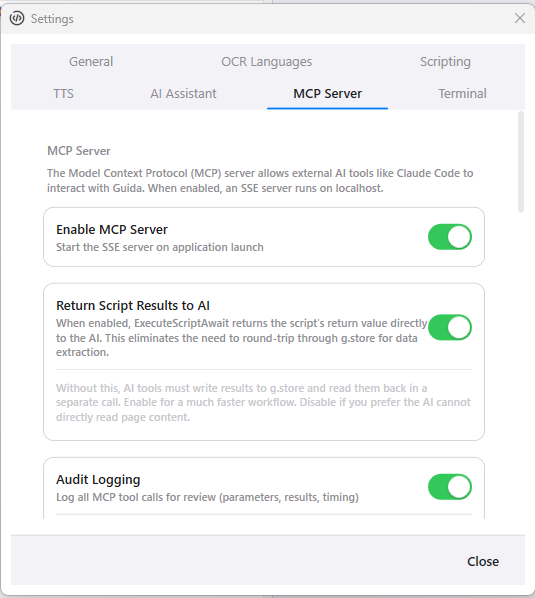
MCP settings keep the local server, returned script results, and audit logging explicit.
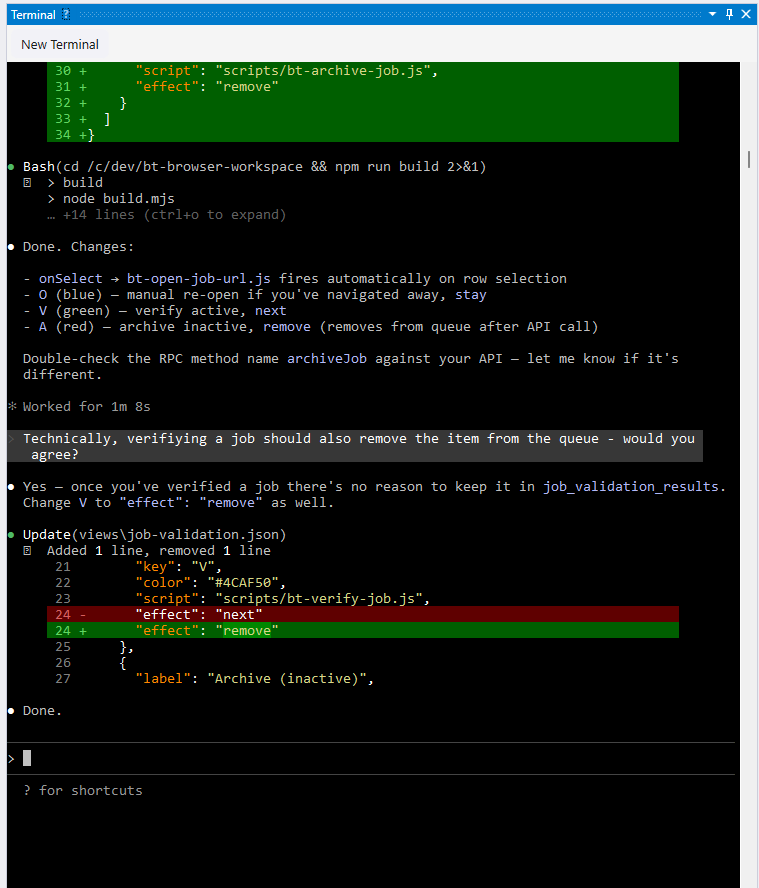
Claude Code can run alongside Guida while the browser, workspace files, and automation tools stay visible.
Built-in tools
Section titled “Built-in tools”Over 100 tools are available, organized by category:
| Category | Tools | Description |
|---|---|---|
| Browser | Navigate, Click, EnterText, SelectOption, PressKey, ScrollTo, WaitForElement, WaitForDomStable, WaitForReady, GetDom, GetUrl, ExecuteJs | Page interaction |
| Tab Management | GetTabs, NewTab, CloseTab, CloseAllTabs, SetActiveTab, FindTabByUrl | Tab control |
| Screenshots | Screenshot, ScreenshotElement, ScreenshotFullPage | Visual capture |
| Data | StorePut, StorePutMany, StoreGet, StoreList, StoreSearch, StoreQuery, StoreDelete | Persistent storage |
| Queues | QueueEnqueue, QueueDequeue, QueueCommit, QueueAbort, QueueList | Work queue operations |
| Search | SearchIndex, SearchQuery, SearchDelete | Full-text search |
| Workers | WorkersStart, WorkersRunOne, WorkersStop, WorkersStatus | Batch processing |
| Workflow Ledger | ListRuns, QueryItems, QueryItemsPage, StageStateCounts, ReconcileRun, RetryItem, DeadLetterItem, ExportHistory | Durable workflow inspection, scalable counts, and recovery |
| Scripts | ExecuteScript, ExecuteScriptAwait, ExecuteScriptFile | Script execution |
| Network | NetworkSearch, NetworkGetById, NetworkGetResponseBody, WaitForRequest | Traffic inspection |
| LLM | LlmPrompt | Local LLM inference |
| Custom | GetWorkspaceTools, ExecuteWorkspaceTool, ReloadWorkspaceTools | Custom tools |
| Secrets | SecretsList | List secret names and metadata only |
Three-layer security
Section titled “Three-layer security”Every MCP action passes through three security layers.
Domain whitelisting
Section titled “Domain whitelisting”MCP navigation domain whitelisting is enabled by default. With Require domain whitelisting for MCP navigation enabled, Navigate and CreateTab calls must target approved domains. When the AI attempts to visit an unapproved domain, Guida creates an approval request with options to block, allow once, allow for the session, or add the domain to the whitelist.
Configure allowed domains at three levels:
- Session — approved during the current session
- Workspace —
domains.jsonin the workspace root (see Workspaces) - Global — configured in Settings
Wildcard subdomains are supported: *.example.com matches api.example.com, www.example.com, and other subdomains.
The optional Auto-approve navigation to whitelisted domains setting is off by default. When enabled, it only skips the extra tool-approval prompt for Navigate and CreateTab calls whose url is already explicitly whitelisted. It does not auto-approve clicks, typing, scripts, workers, filesystem access, queue/store/search/database operations, or workflow ledger mutations.
Approval Center
Section titled “Approval Center”Monitored tools require explicit approval before execution. Instead of interrupting work with blocking modal dialogs, Guida shows pending requests in the Approval Center pane and on the toolbar approval indicator.
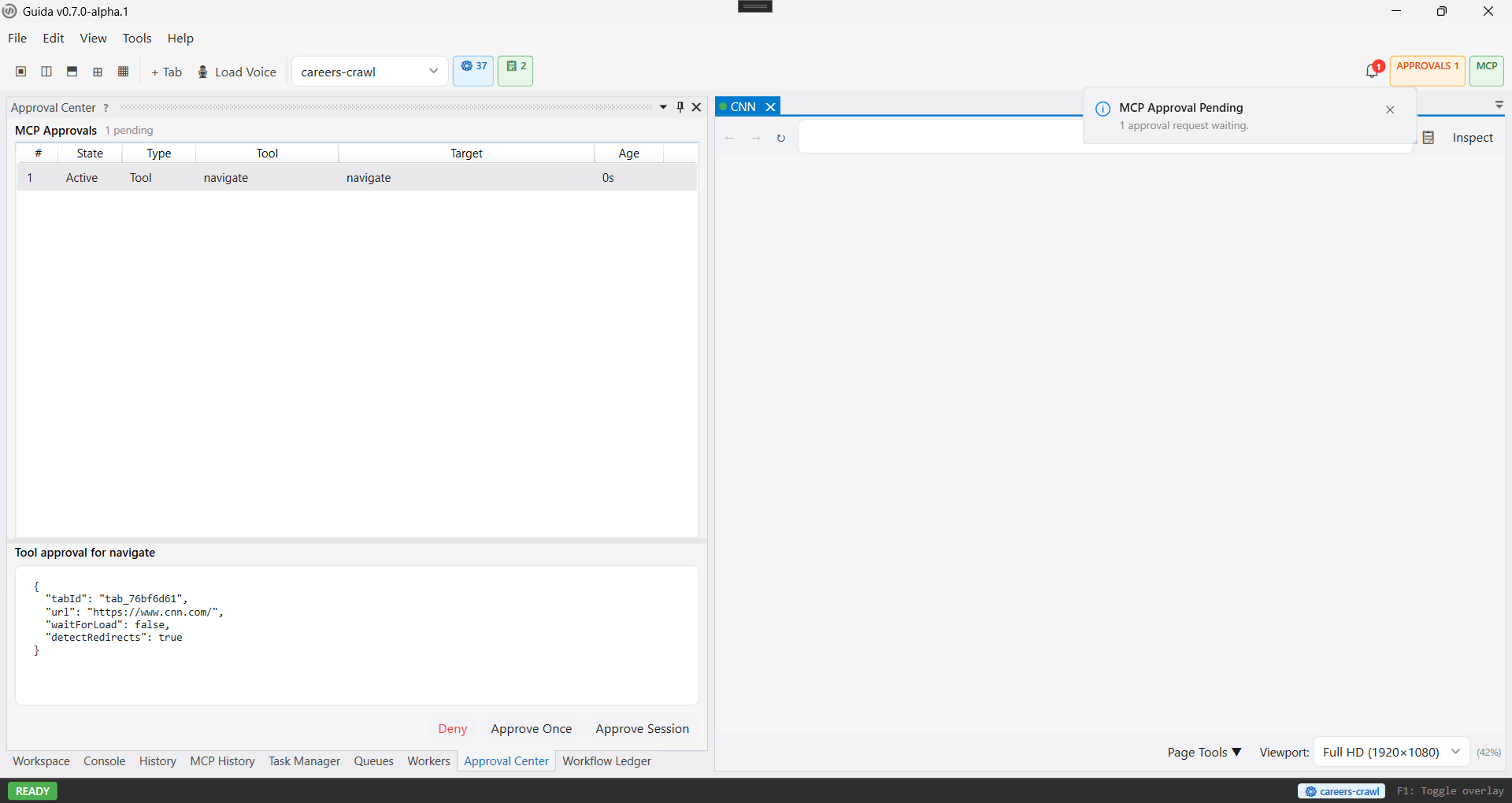
The Approval Center keeps pending MCP requests visible with exact parameters and approve or deny actions.
The agent sees the tool schema, but Guida shows you the exact proposed call before it runs. Default monitored tools include script execution, browser actions, data modification, queue/search operations, task management, and other actions that can change browser or workspace state.
You can approve once or trust a tool for the current session where appropriate. Session trust is cleared when the MCP server restarts.
Audit logging
Section titled “Audit logging”Every MCP tool call is logged to mcp-audit.db: tool name, parameters, result, duration, and any errors. View the audit trail in the MCP History pane.
The AI agent cannot read, query, or clear its own audit log. This is enforced architecturally; no MCP tools expose the audit database.
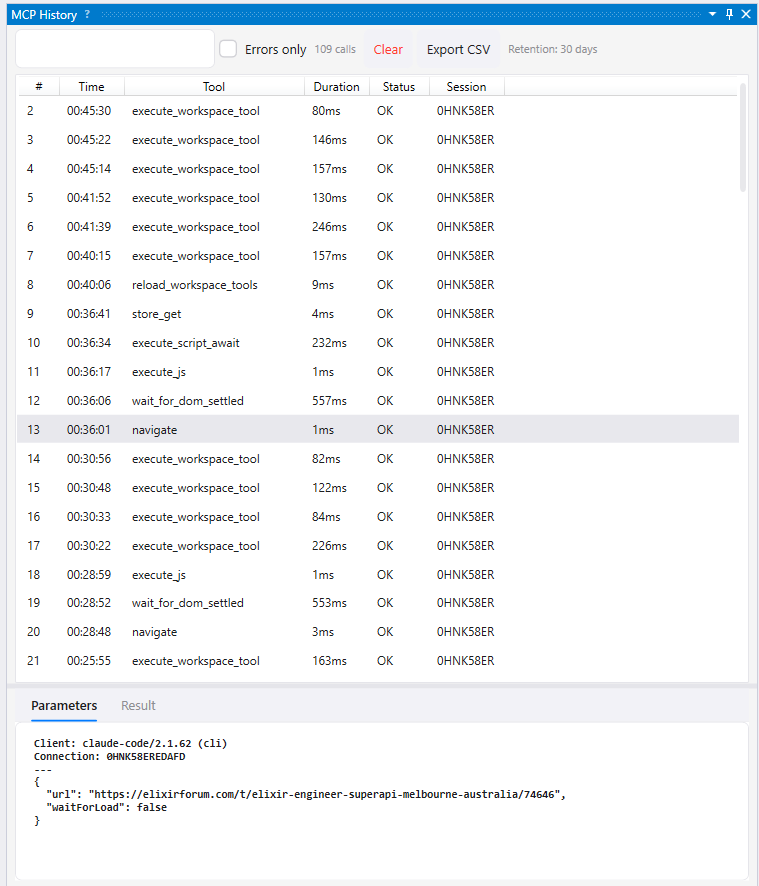
The MCP History pane records completed tool calls and lets you inspect the selected call’s parameters and result.
Secrets
Section titled “Secrets”Secret values are never exposed through MCP tools. The SecretsList tool returns only names and descriptions, never decrypted values.
Scripts started via MCP (ScriptTaskOrigin.Mcp) are also blocked from reading secrets through g.secrets.getSecret(). This prevents the exfiltration chain: MCP runs script, script reads secret, script writes to store, MCP reads store.
For more details, see Secrets.
Related API surfaces
Section titled “Related API surfaces”| Surface | Use it for | Control level |
|---|---|---|
| MCP | Local AI tool access with approval, audit, domain controls, and secret isolation | Local tool execution |
| Operational Dashboard API | Remote monitoring, health, queue/worker/run snapshots, and SSE invalidation | Read-only |
| Automation Mode | Deterministic test harness launch, tab setup, and CDP passthrough | Test-only control |
| Remote Ops API | Trusted-channel remote control for workers, queues, tabs, tools, ledger reads, screenshots, and Remote View | Explicitly enabled remote control |
Next steps
Section titled “Next steps”- Custom Tools — extend the MCP surface with workspace-specific tools
- Operational Dashboard API — monitor Guida remotely over read-only HTTP and SSE endpoints
- Automation Mode — launch Guida for CDP-backed test harnesses
- Remote Ops API — control a Guida node through trusted-channel JSON-RPC
- Workspaces — configure
domains.jsonfor domain whitelisting - Secrets — securely use API keys in scripts and custom tools
- Source Boundaries — understand what is closed, what is public, and where approvals, audit, and secret isolation fit