Secrets
Guida stores secrets (API keys, tokens, passwords, connection strings) encrypted with Windows DPAPI. Secrets are tied to your Windows user account — only your user can decrypt them.
Managing Secrets
Section titled “Managing Secrets”Open the Secrets pane to add, view, and delete secrets. Each secret has:
- Name — identifier used to reference the secret (e.g.,
API_TOKEN,my-postgres) - Value — the encrypted content (shown as masked in the UI)
- Description — optional notes about what the secret is for
The toolbar offers Add Secret for generic key-value secrets, plus dedicated buttons for Add S3 Connection, Add MongoDB, Add PostgreSQL, and Add Elasticsearch that open typed dialogs with the right fields.
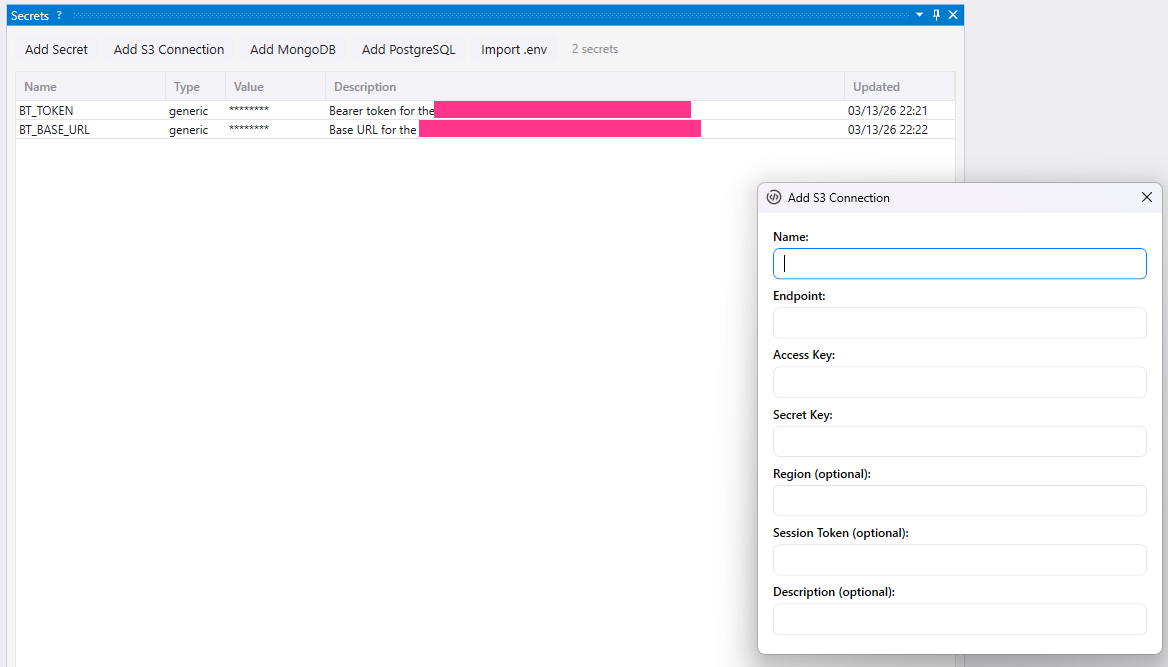
Typed secret dialogs keep connection fields structured while storing the resulting credentials encrypted for your Windows user.
Using Secrets in Scripts
Section titled “Using Secrets in Scripts”Read a secret’s decrypted value with g.secrets.getSecret():
async function main() {  const token = await g.secrets.getSecret("API_TOKEN");
  const response = await g.http.makeHttpRequest({    url: "https://api.example.com/data",    headers: { "Authorization": "Bearer " + token }  });}
Database Connection Secrets
Section titled “Database Connection Secrets”The Secrets pane has dedicated dialogs for adding database connections. Each dialog collects the right fields for the service — no need to manually assemble connection strings.
| Button | Dialog fields | Used by |
|---|---|---|
| Add S3 Connection | Name, Endpoint, Access Key, Secret Key, Region, Session Token | g.s3.* |
| Add MongoDB | Name, Connection String | g.mongodb.* |
| Add PostgreSQL | Name, Connection String | g.postgres.* |
| Add Elasticsearch | Name, URL, Auth Mode (API Key, Basic, None), Credentials | g.elasticsearch.* |
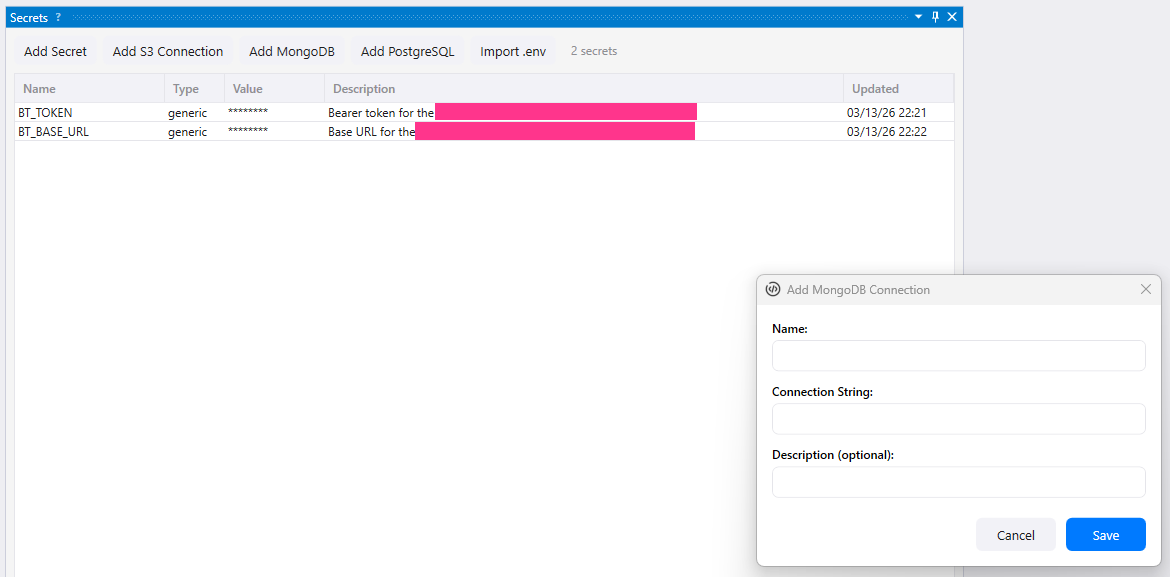
Database connection secrets are referenced by name from scripts, so credentials do not need to be embedded in code.
Once saved, reference the secret by name in your scripts:
// The secret "my-mongo" holds the MongoDB connection stringconst docs = await g.mongodb.find("my-mongo", "scraping", "products", { price: { $lt: 20 }});See Database Integrations for full setup guides and examples.
Using Secrets in Custom Tools
Section titled “Using Secrets in Custom Tools”Custom tools support {{SECRET_NAME}} templates in the headers field. The template is resolved at execution time — the AI agent never sees the header values:
{ "tools": [ { "name": "fetch-data", "description": "Fetch data from the API", "script": "scripts/fetch.js", "headers": { "Authorization": "Bearer {{API_TOKEN}}", "X-Api-Key": "{{API_KEY}}" } } ]}MCP Security
Section titled “MCP Security”Secrets are designed to be invisible to AI agents connected via MCP:
Secret values are never exposed via MCP
Section titled “Secret values are never exposed via MCP”The SecretsList MCP tool returns only names and descriptions — never decrypted values. There is no MCP tool to read secret values.
MCP-origin scripts cannot read secrets
Section titled “MCP-origin scripts cannot read secrets”When an AI agent runs a script via MCP, that script’s g.secrets.getSecret() calls are blocked and throw an error. This prevents the exfiltration chain:
- AI tells Guida to run a script
- Script reads a secret with
g.secrets.getSecret() - Script writes the value to
g.store - AI reads the value from
g.store
Step 2 is blocked — g.secrets.getSecret() checks the script’s origin and refuses MCP-origin requests.
This also applies to database integrations — g.s3.*, g.mongodb.*, g.postgres.*, and g.elasticsearch.* are all blocked for MCP-origin scripts, since they resolve connection secrets internally.
Queue workers started by MCP are also blocked — workers inherit the origin of their launcher.
What MCP-origin scripts can do
Section titled “What MCP-origin scripts can do”SecretsListMCP tool — list secret names (not values)- Use secrets indirectly via custom tool
headerstemplates (the script never sees the resolved value)
Next Steps
Section titled “Next Steps”- Database Integrations — use connection secrets with S3-compatible storage, MongoDB, and PostgreSQL
- Search Engines — connect to external Elasticsearch clusters
- Custom Tools — use secret-backed headers in MCP tools
- MCP Integration — security model overview
- Source Boundaries — how secret isolation, MCP audit, and the closed browser automation layer fit together
- API Reference —
g.secrets.getSecret()signature