Edit, test and correct a draft
For a complete example with useful records, original and changed inputs, and a local runner, start with niche-job extraction. This smaller tutorial is useful for checking the basic Studio controls.
This tutorial uses the disposable source described in
early testing. You need an authorized workspace,
a connected development runner and a prepared JavaScript source with string
id and title output fields. It produces synthetic data, uses no LLM and does
not publish or activate a product. If you do not have a prepared installation,
start with installation and first access.
Example files
Section titled “Example files”The operator can use these small, inspectable files to prepare the exercise:
- JavaScript module, exporting
collect. - Input schema, accepting
{}. - Output schema, validating the
itemsarray. - Expected result, including the result envelope.
Connect the module and schemas to a disposable source in your assigned draft.
Its descriptor must select the collect export and guida.extractorResult.v1
envelope, with the supported API execution profile. If the module is saved under
a different workspace filename, use that exact path in the descriptor.
These files are tutorial material, not a workspace import or an installation bundle.
Open the prepared implementation
Section titled “Open the prepared implementation”In Workspace Studio, select your assigned draft and its source, then open the source’s implementation. Check the draft and file names before replacing code. Use only the disposable fixture prepared for this exercise.
Select Test draft beside the implementation editor. Keep the fixture’s
configured test setup and use an empty input object, {}, where input is requested.
Save and run a result you can recognize
Section titled “Save and run a result you can recognize”Replace the fixture module with:
export async function collect({ input }) { return { items: [{ id: 'example-1', title: 'My first draft result' }], evidence: { resultCount: 1 } };}Choose Save and run draft. This saves and executes that saved version.
If your code is already saved, the action can appear as Run draft or
Run again. Wait for the terminal result and inspect the returned record.
You should see example-1 and My first draft result.
Change the title to My corrected draft result, then save and run again.
Check the new value in the returned record. The point is to connect an exact
code edit to observed output rather than relying on the editor’s contents alone.
Introduce a failure and correct it
Section titled “Introduce a failure and correct it”In this disposable fixture only, replace the module with:
export async function collect() { throw new Error('Tutorial: deliberate failure');}Save and run it. The test should fail and show the deliberate error. Use the reported source location when available to return to the relevant code.
Restore the earlier working module and run it again. Confirm a successful result with the expected record. A previous successful sample must not be mistaken for output from the failed run.
If setup fails before execution, check the supplied descriptor, schema and input with the operator. A preparation error is different from a failure inside your code.
What happens next
Section titled “What happens next”You now have a saved source draft and evidence from its tests. In a product-building task, draft samples can inform record fields, mappings and the API preview.
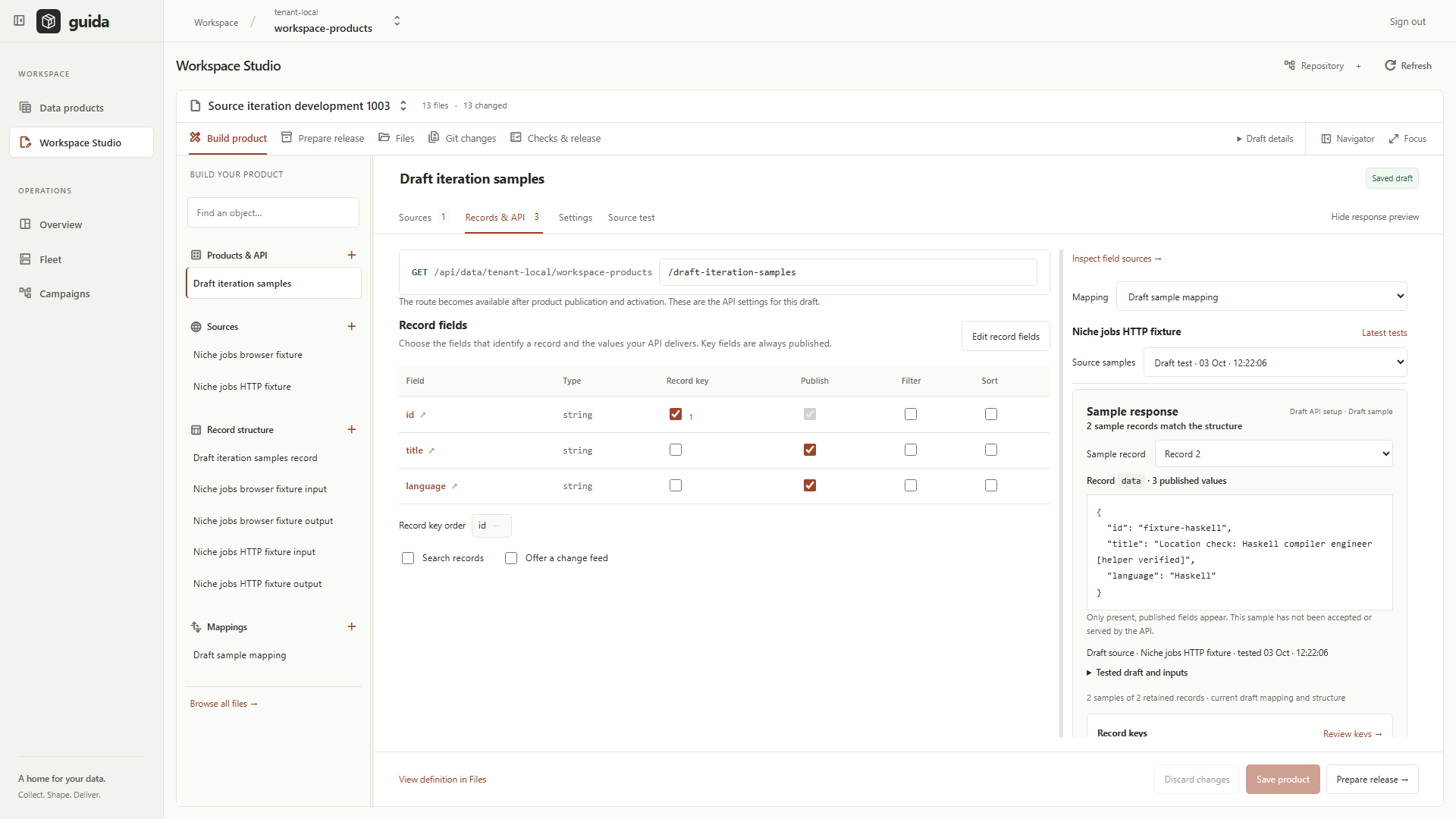
Development installation, 3 October 2026. This screenshot shows a separate synthetic sample workflow; it is not the expected screen or record from this tutorial.
Saving and testing did not publish a source, activate a product or place these records in a served API. Those steps belong to a separate reviewed release task. For this exercise, leave the fixture in its successful state. You can now follow the product workflow to understand fields, mappings and the separate release stages. If a step failed, use troubleshooting and report the action and safe error through your agreed support contact.